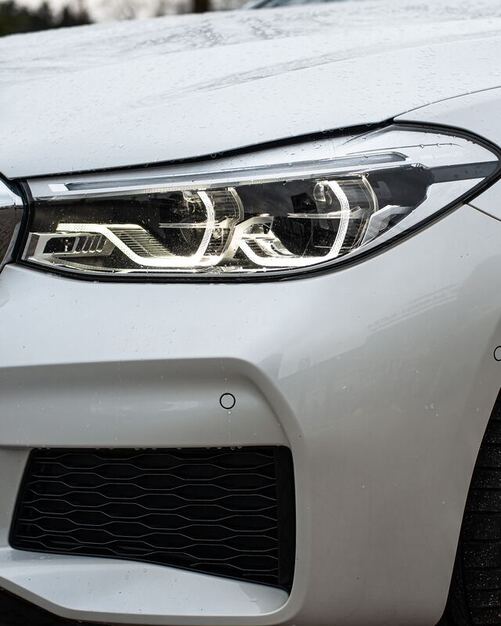


Upgrade Your BMW F Series Halogen Lamps to Xenon Adaptive Headlights for Enhanced Visibility13/12/2022 Are you looking to improve your BMW F Series headlights for better visibility and a sleeker appearance? Upgrading from halogen lamps to xenon adaptive headlights can significantly enhance your driving experience. In this article, we will guide you through the process of upgrading your BMW F Series halogen lamps to xenon adaptive headlights, step by step. We will cover everything from the necessary diagnostic software to coding adjustments, ensuring a seamless transition. Let's dive in! Step 1: Diagnostic Software and Connector Location
To begin the upgrade process, you'll need to run ISTA+ diagnostic software to locate the headlights' connectors. This software will provide you with a detailed diagram, allowing you to identify the exact location of the connectors. With this information, you can proceed confidently to the next steps. Step 2: Signal Turn Light and Angel Light Diagrams Before we delve into the upgrade, it's crucial to understand the wiring connections for the signal turn lights and angel lights. Refer to the provided diagrams for a clear visual representation. Take note of the wiring patterns and connections, as they will be essential during the upgrade process. Step 3: Angel Eye Lights Installation and Power Source If you choose to use OEM angel eye lights as your light source, you can skip the installation of the TMS (Top Mounting System) module. This simplifies the upgrade process, saving you time and effort. To power the angel eye lights, connect them to the 5th pin of the day-time light and make sure to adjust the output voltage through coding. Step 4: High and Low Beam Diagrams Understanding the high and low beam wiring connections is crucial to ensure proper functionality of your upgraded headlights. Refer to the provided diagrams to establish the correct connections. Take your time to double-check the wiring, as accuracy is essential for optimal performance. Step 5: Coding with E-sys Software Now that the physical connections are in place, it's time to use E-sys software to code the output voltage and block any potential light troubles. Begin by reading the CAFD (Car Accessory Function Description) data from the FEM (Front Electronic Module) module. This step will provide you with the necessary information to proceed. Step 6: Manual Code Adjustment With the CAFD data available, it's time to edit the "FDL" (Field Data Line) codes manually. Using the search function, locate "AL_L_COM" and input the following codes as depicted in the accompanying picture. These codes will ensure proper functionality of the left and right xenon lights, as well as the activation status of the low beams and angel eyes. Step 7: Additional Coding for Angel Eye Lights To customize the behavior of your angel eye lights, further coding is required. Adjust the TFL_L_CCM, TFL_L_KALTUEBERWACHUNG, TFL_L_IS_LED, TFL_L_UE_SPG_SCHUTZ, TFL_L_DUALSP, TFL_R_CCM, TFL_R_KALTUEBERWACHUNG, TFL_R_IS_LED, TFL_R_UE_SPG_SCHUTZ, and TFL_R_DUALSP settings according to your preferences. You can control output modes, activation status, LED functionality, and more. Step 8: Final Adjustments for Width and High Beams To complete the upgrade, make sure to turn off the left and right side width lamps (POL_L_CCM), as well as the left and right side high beams (FL_L_CCM and FL_R-CCM). These adjustments will ensure proper functionality and avoid any conflicts with the newly installed xenon adaptive headlights
2 Comments
29/9/2024 12:43:37 pm
The BMW Course stands out with detailed, up-to-date manuals for retrofitting and coding BMW models.
Reply
Mateusz
7/10/2024 05:53:45 pm
This BMW Programming and Coding course at Electronic Repair gave me a great mix of theory and hands on experience. I can confidently recommend it to anyone looking to improve their BMW electronics skills.
Reply
Your comment will be posted after it is approved.
Leave a Reply. |
0%
Auto Tuning Blog “The content provided is for educational and informational purposes only.” Categories
All
|